For therapists in private practice
AI therapy notes that prepare your next session.
Record a session, get a draft progress note and an agenda for next time. You edit it and you decide what gets sent.
BAA available · Audio deleted once notes finish · Not used to train Unfold's models
Record in the browser
Nothing to install. Upload audio instead if you prefer.
Draft progress notes
Written in the modality you practice, ready to edit.
Next-session agenda
What to pick up next time, from the transcript.
You approve every send
Client summaries only go out when you send them.
Screenshots show fictional clients for demo purposes.
Three drafts. One review.
Unfold turns each recorded session into the paperwork that usually follows it. You read, edit, and decide what happens next.
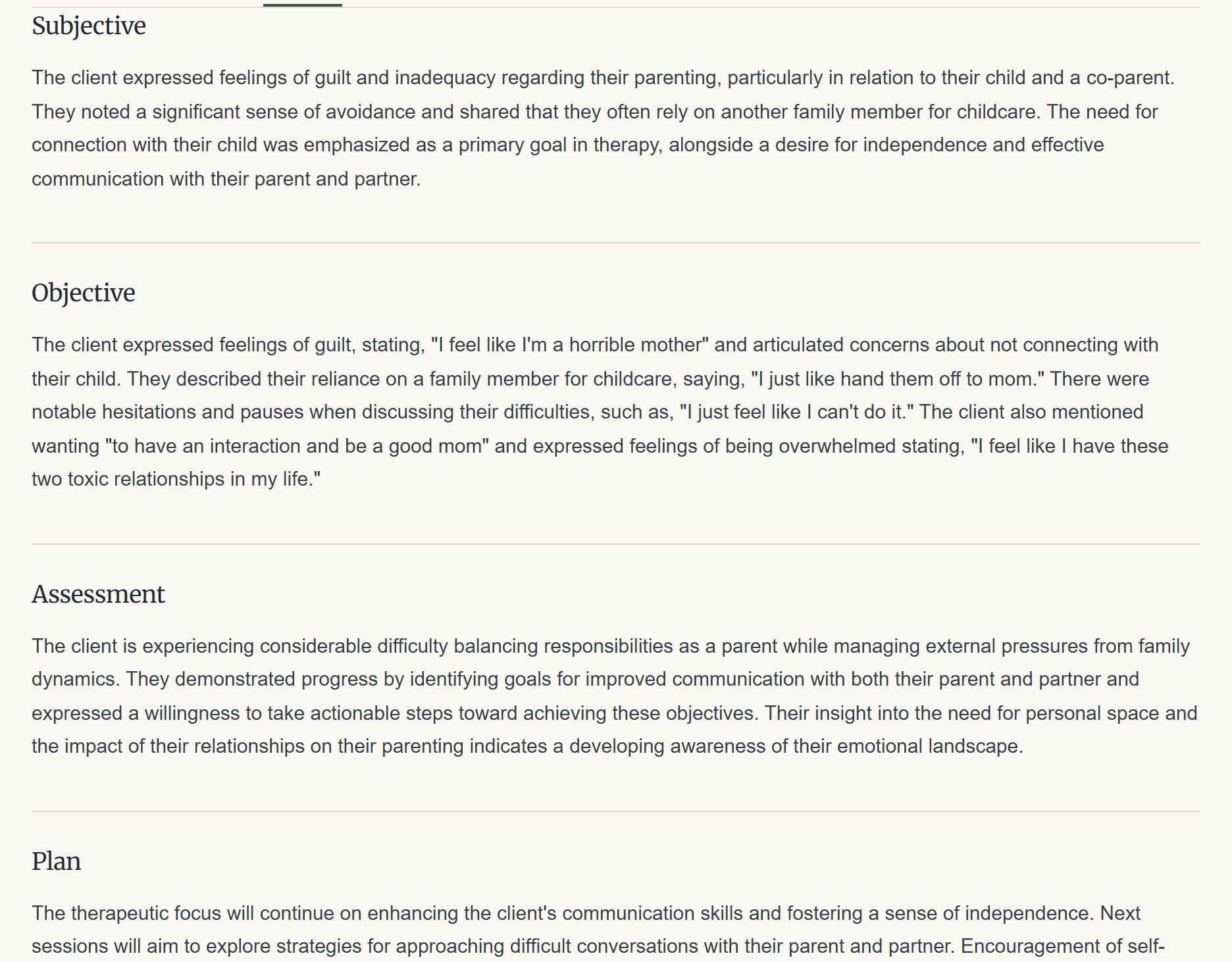
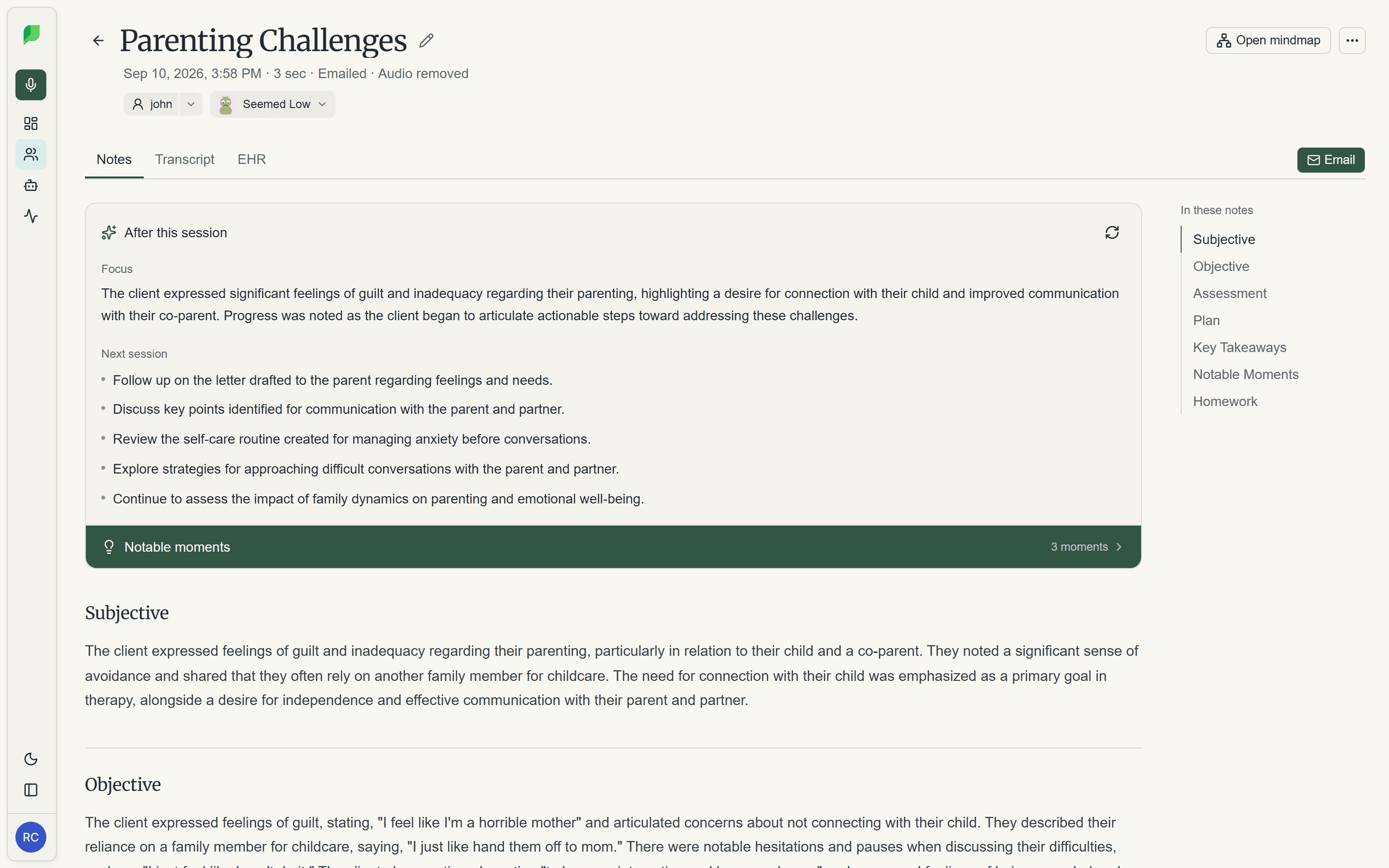
Progress notes
A draft note after every session, from the transcript, in your modality.
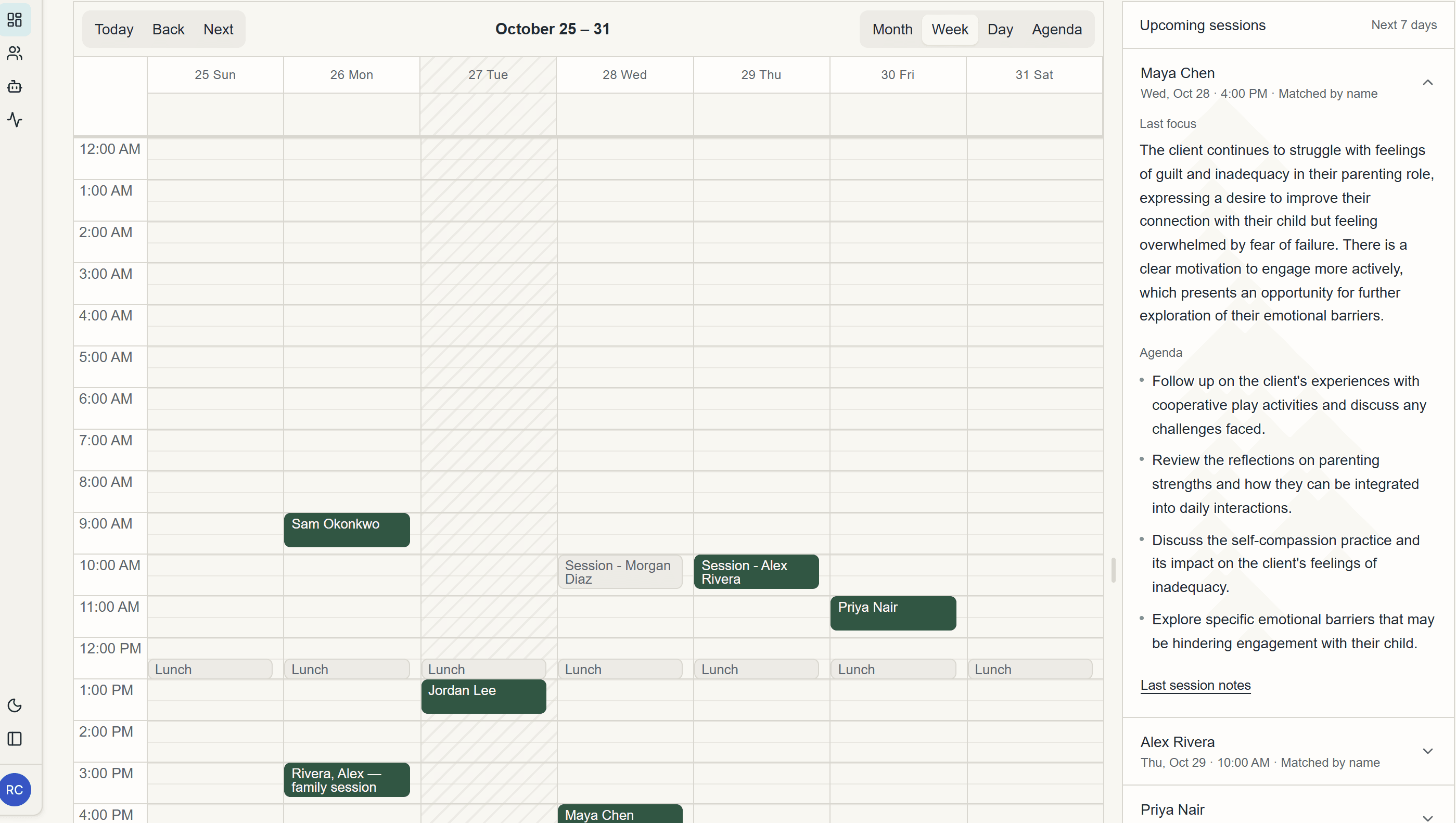
Next-session agenda
Open the client and see where you left off and what to pick up.
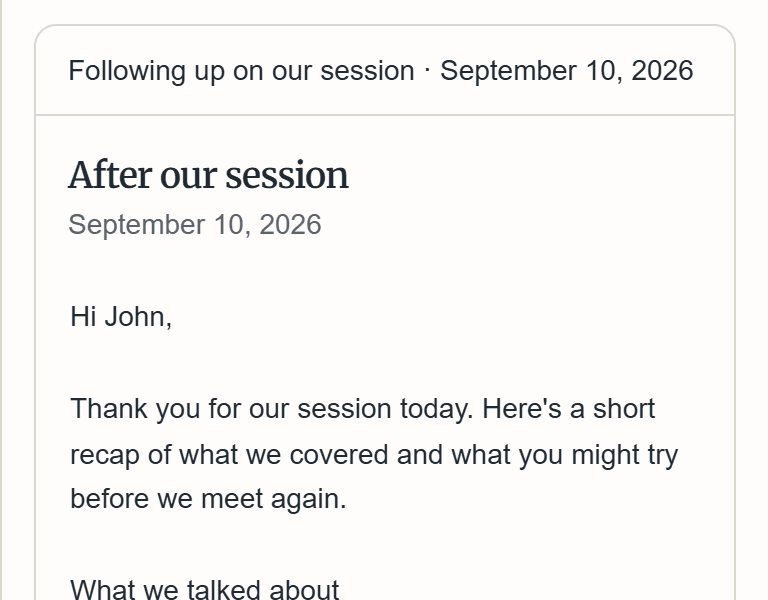
Client summaries
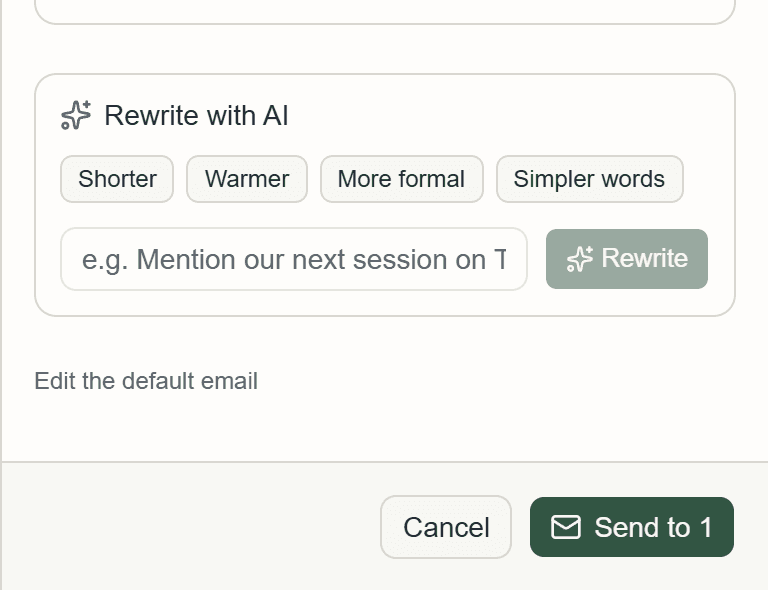
A plain-language summary you can edit and email, only if you choose.
Screenshots show fictional clients for demo purposes.
See the moments that mattered.
Unfold flags turns where the client's wording, pace, or pauses shifted, then picks out a few moments worth revisiting. Each one links to that spot in the transcript. The flags are automatic and approximate; you decide what they mean.
- negative wording
- warming up
- hesitant
- long pause
- speaking slower
- brief answer
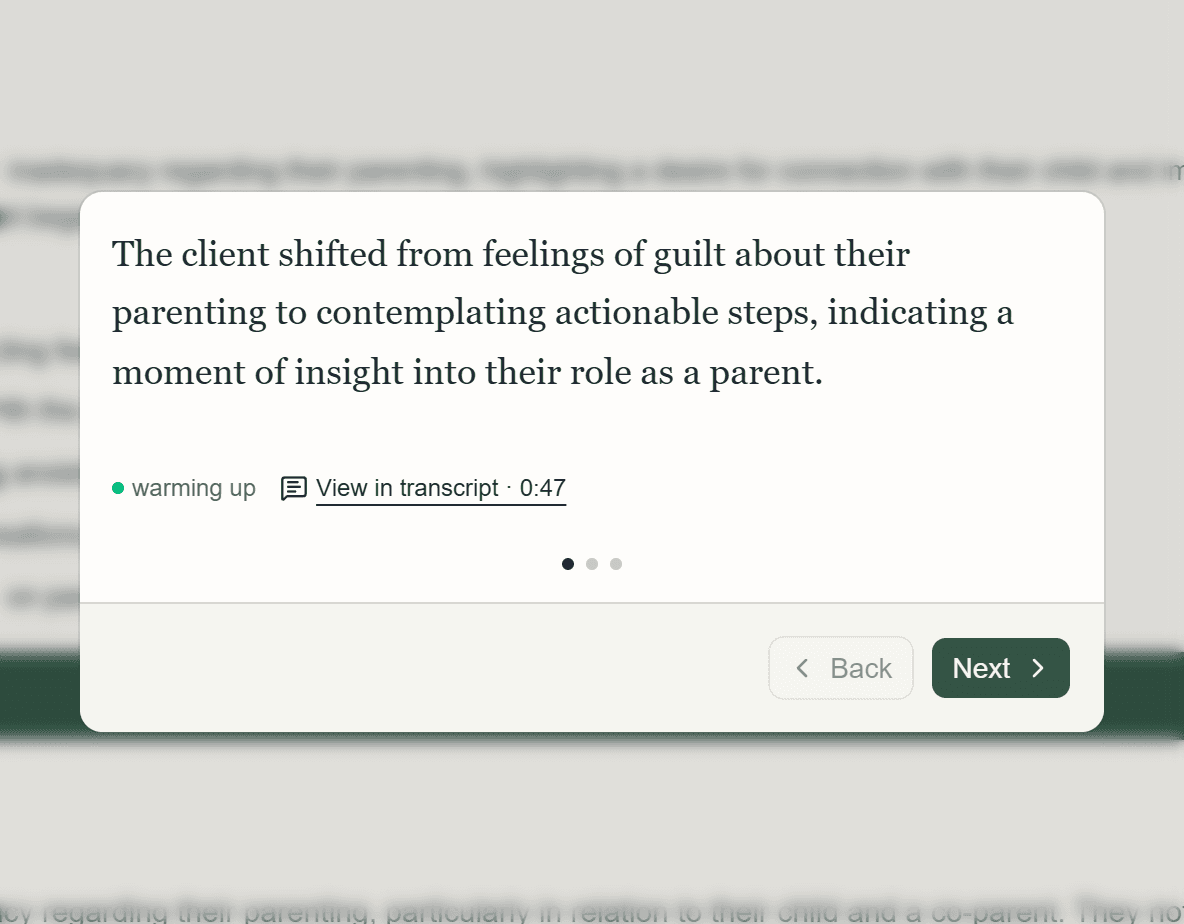
Notable moments
A short list after each session, in the order they happened.
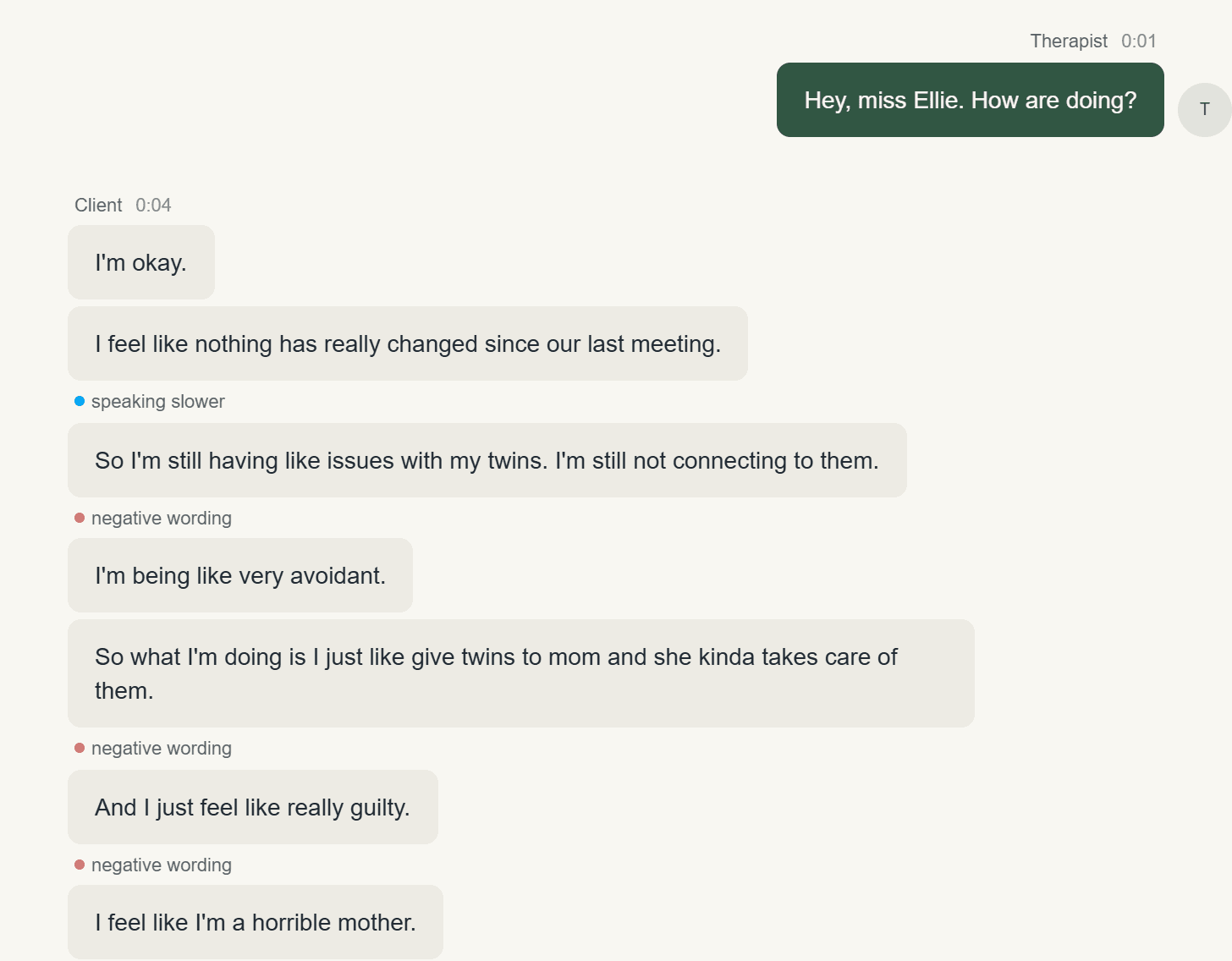
Cues in the transcript
Every flag sits on the turn it came from, with a note on how it was measured.
Screenshots show fictional clients for demo purposes.
See how a client is changing, not just this week.
Unfold maps the themes that come up across a client's sessions, and which ones keep returning, fade, or connect. After each session you record how the client seemed: the suggestion comes from your notes, and you confirm it or pick another. The map and the mood trail are drafts to think with, not conclusions, and only you see them.
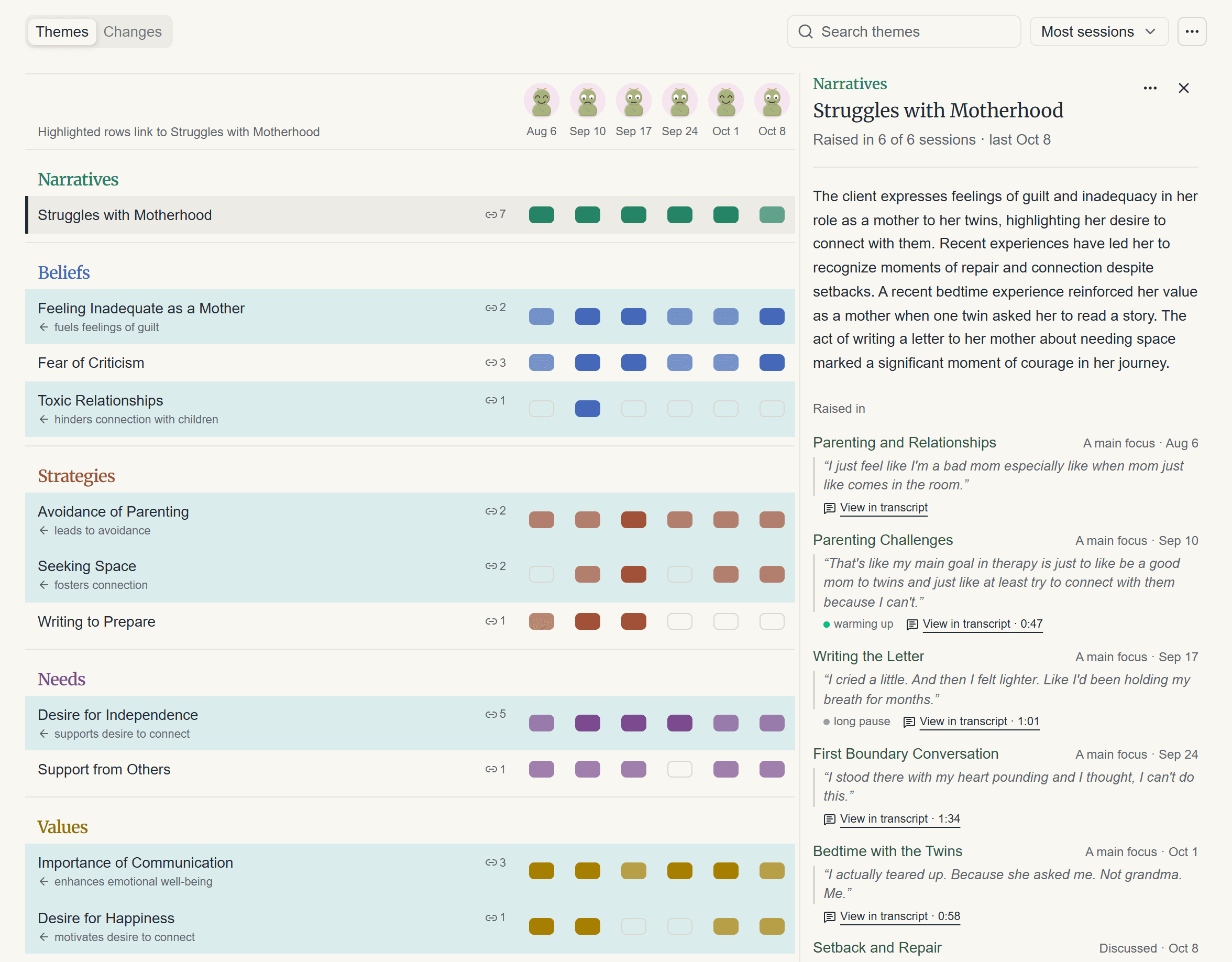
A map of their themes
Every session as a column, with how the client seemed above it. Open a theme to read the moments it came from.
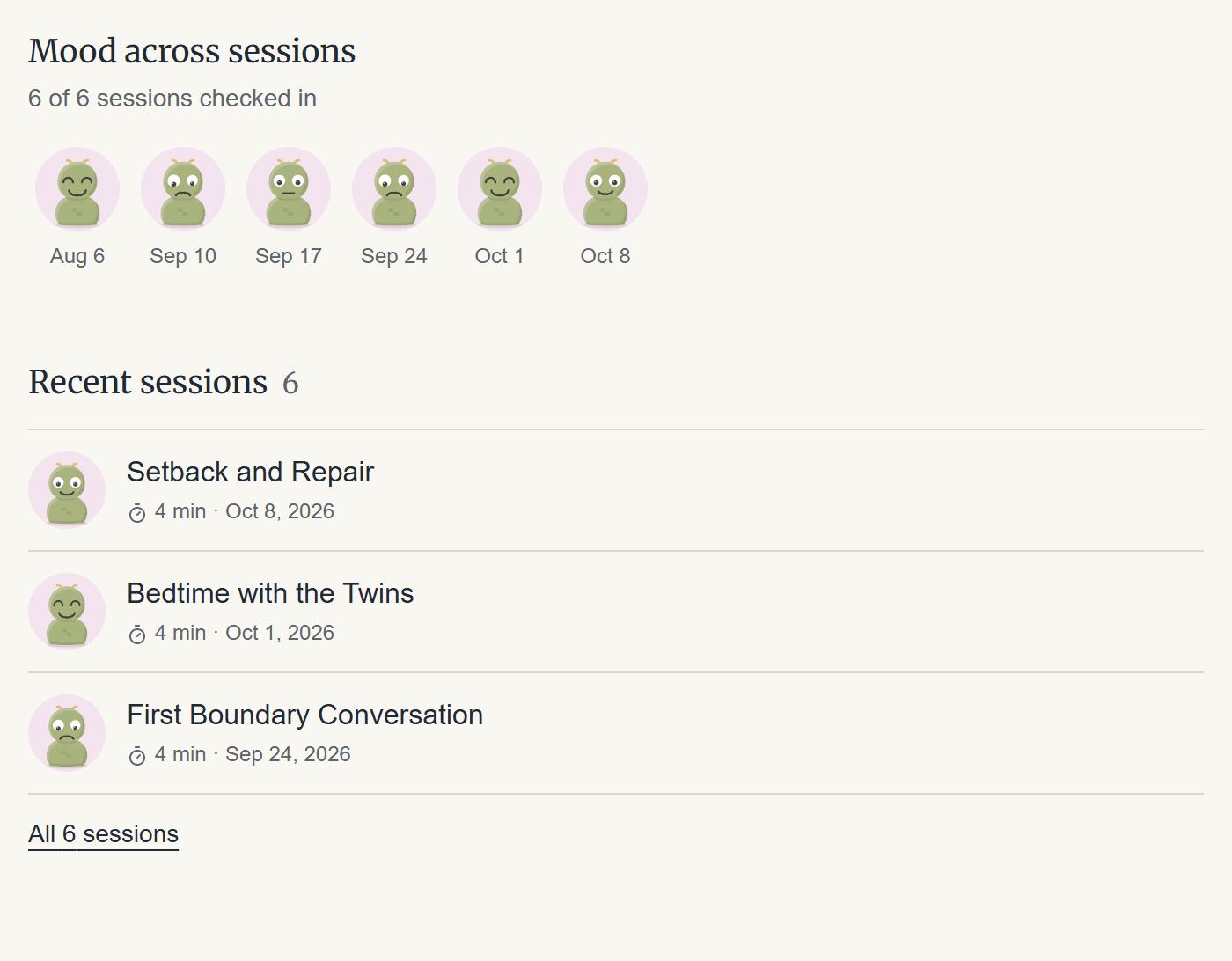
How they seemed, session by session
Each client gets their own character. Only moods you've confirmed show up.
Screenshots show fictional clients for demo purposes.
Ask about your caseload. Approve what it drafts.
After each session the assistant writes a short review of what changed and what to follow up on, then drafts what would help: a next-session agenda, a client email, or a note on a theme. Ask it who you haven't seen in a while, or get a digest each Monday if you want one. It only drafts. Nothing is saved or sent until you approve it, and client names are replaced with placeholders before the AI sees anything.
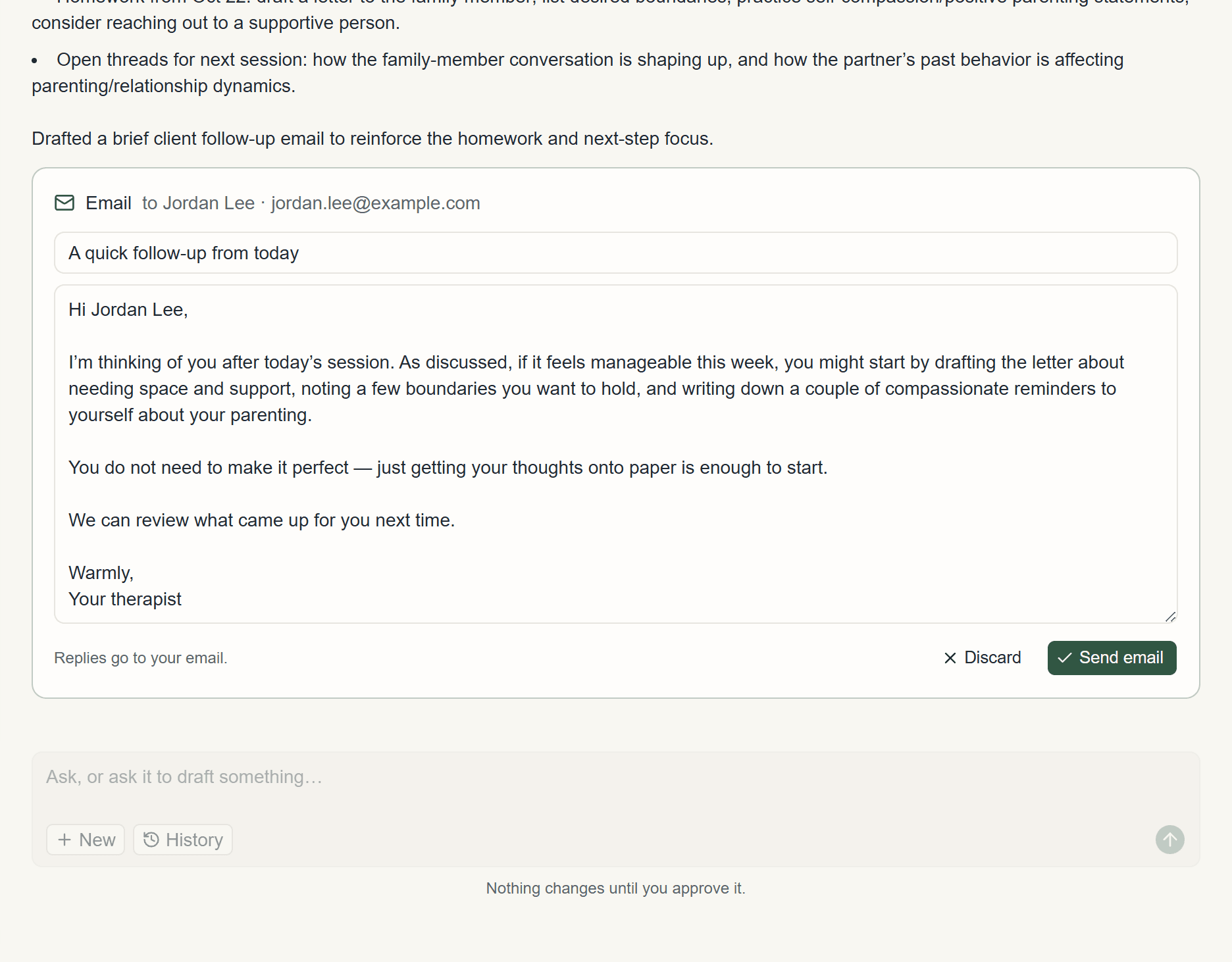
A review after every session
What changed since last time, the follow-ups, and a drafted email waiting for your approval.
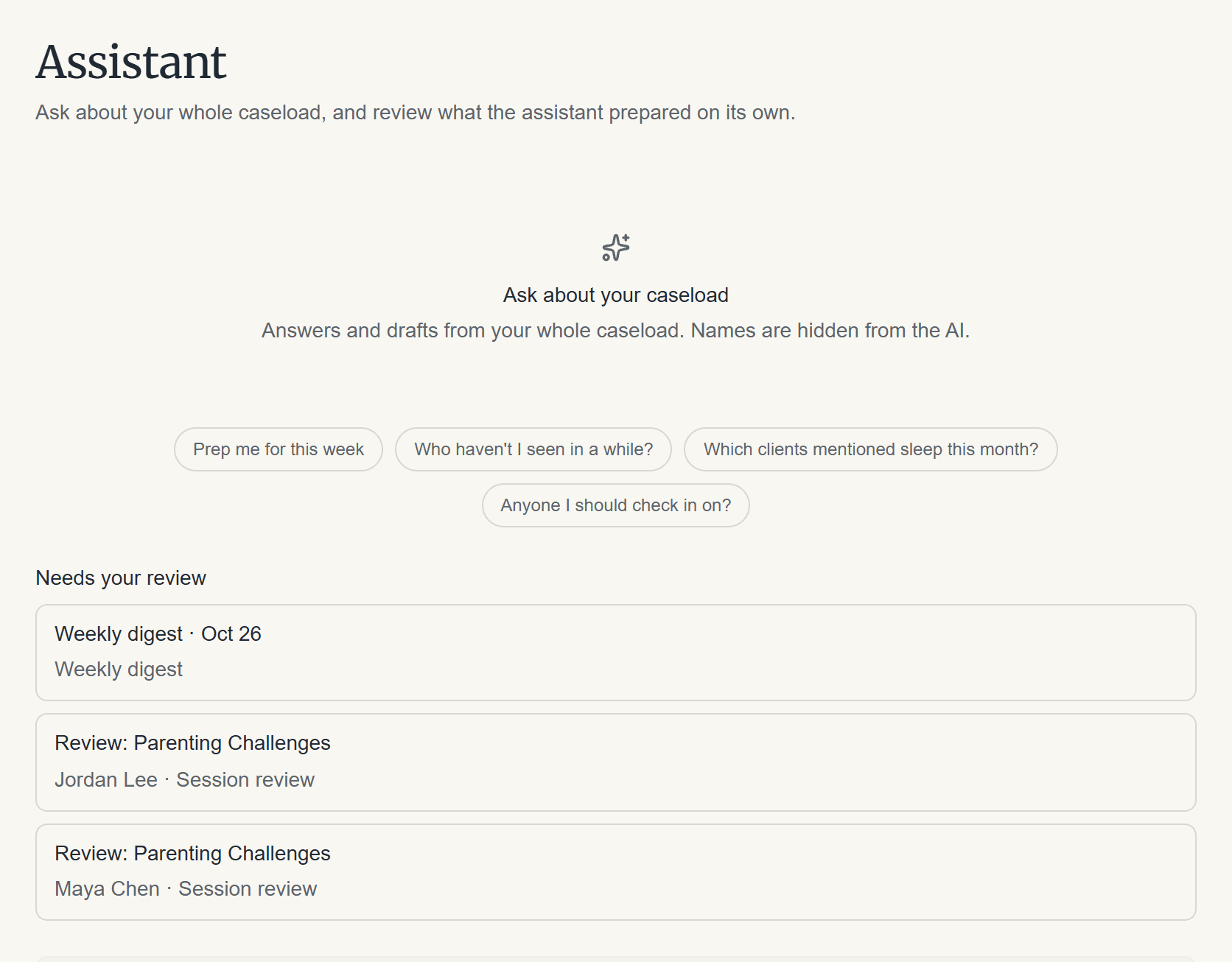
Ask across your caseload
Suggested questions, and what the assistant prepared for you to review.
Screenshots show fictional clients for demo purposes.
How it works
Record the session. In your browser, or upload audio you already have.
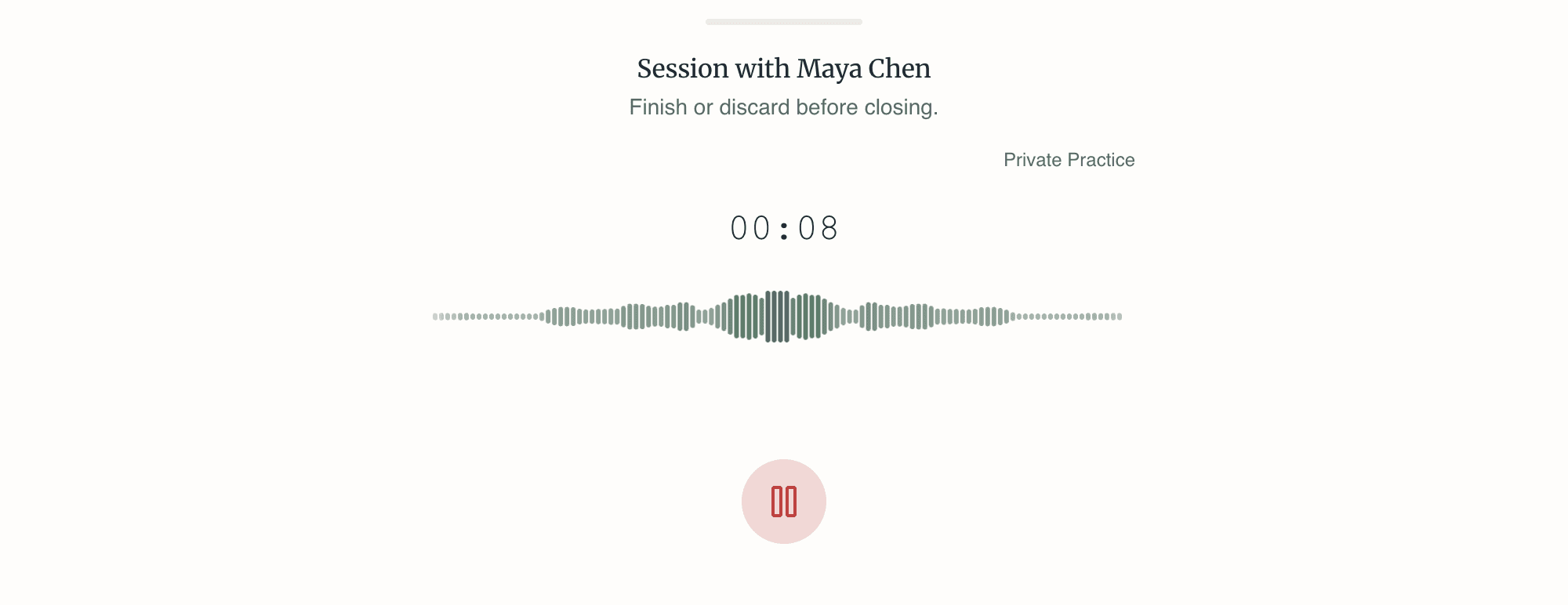
Drafts in your modality. Tell Unfold how you practice. It won't invent techniques.
- Couples Therapy
- Psychodynamic Therapy
- Clinical Psychology
- Cognitive Behavioral Therapy (CBT)
- Dialectical Behavior Therapy (DBT)
- Mindfulness-Based Cognitive Therapy (MBCT)
- Emotionally Focused Therapy (EFT)
- Acceptance and Commitment Therapy (ACT)
Review the draft. Edit the note and agenda. Nothing is final until you say so.
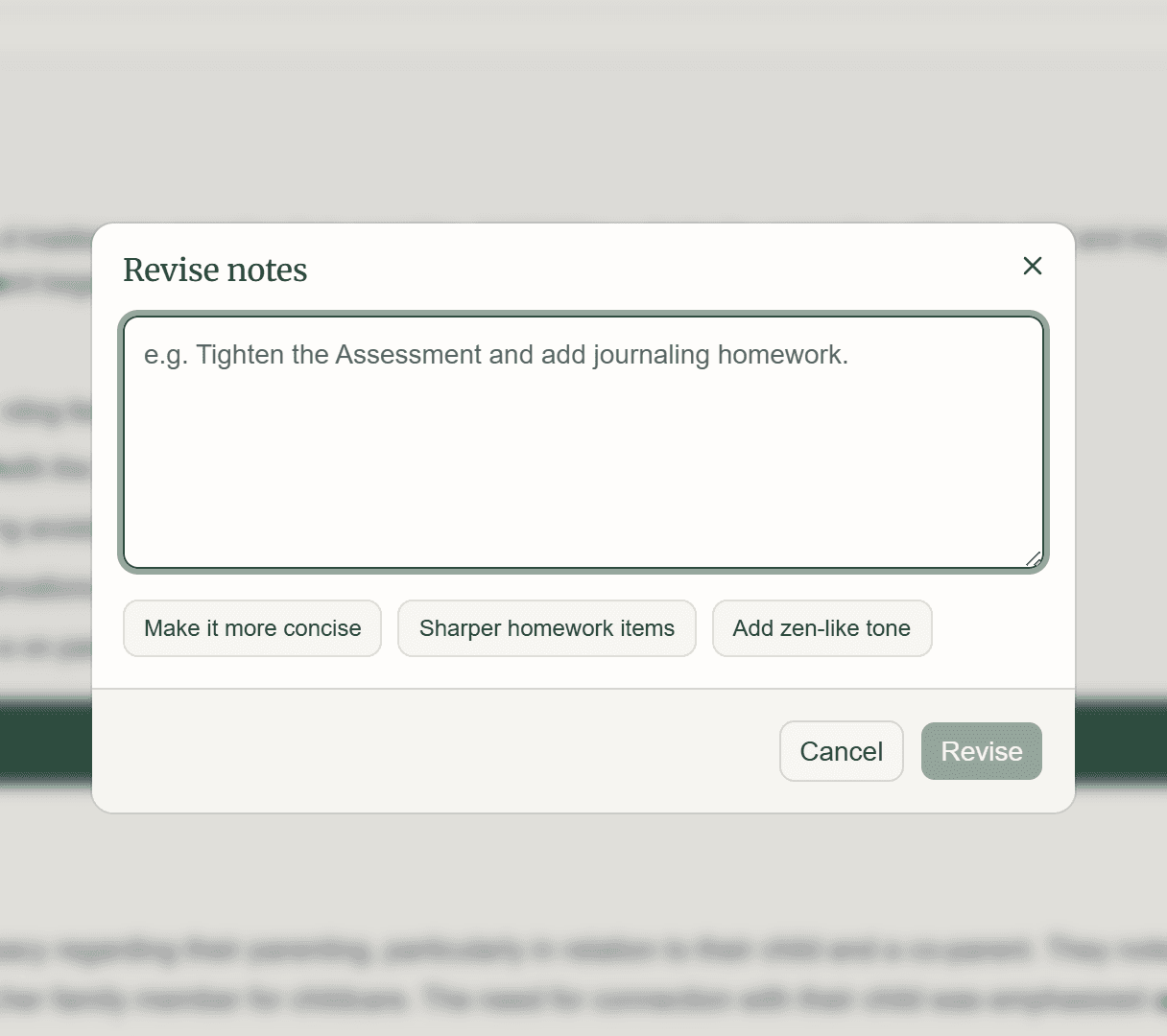
Send a summary. Email the client a summary when you're ready, or don't.
Pick up next time. Start the next session with the agenda already there.
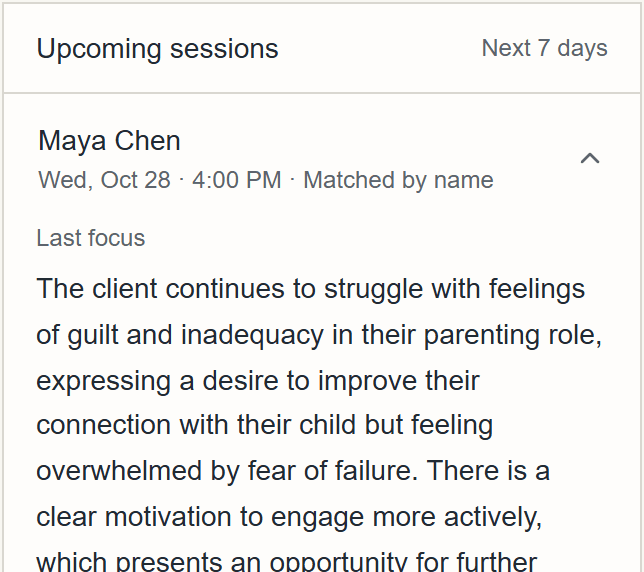
Screenshots show fictional clients for demo purposes.
Writing notes yourself vs. Unfold
When notes get written
- Writing notes yourself
- After sessions, often after hours
 With Unfold
- Drafted from the session, ready to review right after it
Starting the next session
- Writing notes yourself
- Rebuilding context from memory and old notes
- With Unfold
- A next-session agenda drafted from the transcript
Seeing change over time
- Writing notes yourself
- Rereading old notes to spot a pattern
- With Unfold
- A map of themes across sessions, with how the client seemed each time
Client summaries
- Writing notes yourself
- Written and emailed separately
- With Unfold
- Drafted with the note, sent only when you choose
Your approach
- Writing notes yourself
- Your words and your framework
- With Unfold
- Drafts use the modalities you practice, without inventing techniques
Client privacy
- Writing notes yourself
- Stays in your notebook or EHR
- With Unfold
- Names replaced before drafting; audio deleted once notes finish
| Writing notes yourself | With Unfold | |
|---|---|---|
| When notes get written | After sessions, often after hours | Drafted from the session, ready to review right after it |
| Starting the next session | Rebuilding context from memory and old notes | A next-session agenda drafted from the transcript |
| Seeing change over time | Rereading old notes to spot a pattern | A map of themes across sessions, with how the client seemed each time |
| Client summaries | Written and emailed separately | Drafted with the note, sent only when you choose |
| Your approach | Your words and your framework | Drafts use the modalities you practice, without inventing techniques |
| Client privacy | Stays in your notebook or EHR | Names replaced before drafting; audio deleted once notes finish |
Privacy
What happens to session data
Names stay out of the draft
You see your clients' names; the AI model doesn't. Names and personal relationships are replaced with placeholders before any draft is generated.
Audio doesn't linger
Session audio is deleted once transcription and notes finish. Anything left unprocessed is removed after 7 days.
Not used for training
Unfold doesn't use your clients' data to train its own AI models.
BAA available
Business Associate Agreements are available on request. Sign one before you record sessions with PHI.
Questions therapists ask
Privacy, recordings, and how AI-drafted notes fit your practice.
Record the session in your browser. Unfold transcribes the audio, replaces names with placeholders, and drafts progress notes plus a next-session agenda. You review and edit every draft before anything goes to a client.
Unfold applies administrative and technical safeguards to protect PHI. Business Associate Agreements are available on request — please don't submit PHI until a BAA is in place. Unfold is not SOC 2 certified at this time.
No. Unfold doesn't use your data to train its own AI models, and names and personal relationships are replaced with placeholders before drafts are generated.
Audio is deleted from storage as soon as transcription and notes finish. Any unprocessed audio is removed after 7 days. Transcripts, notes, and briefs stay so you can keep working with your caseload, unless you turn on automatic deletion in Settings.
Unfold tailors drafts to how you practice, including Couples Therapy, Psychodynamic Therapy, Clinical Psychology, Cognitive Behavioral Therapy (CBT), Dialectical Behavior Therapy (DBT), Mindfulness-Based Cognitive Therapy (MBCT), Emotionally Focused Therapy (EFT), Acceptance and Commitment Therapy (ACT).
No. Client summaries are only emailed when you choose to send them, and you can edit them first.
No. Unfold runs in your browser, including session recording. On a phone or tablet you can add it to your home screen so it opens like an app.
It reads your notes and transcripts to answer questions about your caseload, like who you haven't seen in a while. After each session it writes a short review of what changed, and it can draft a next-session agenda, a client email, or a note on a mindmap theme. It only drafts: nothing is saved or sent until you approve it, and client names are replaced with placeholders before anything reaches the AI.
Yes. Each finished session has an EHR tab that splits the note into the fields you'd otherwise re-type: date, times, duration, a suggested CPT code, service type, and the note sections. Each has its own copy button, and you check them before you paste.